MRP vs WMS: Key Differences Between Manufacturing & Warehouse Management
TL;DR – High-Level Executive Summary
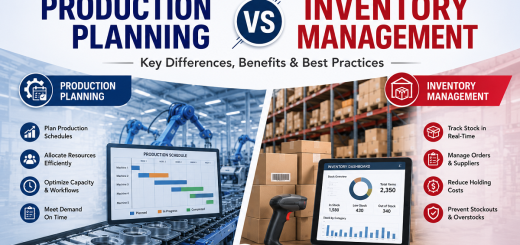
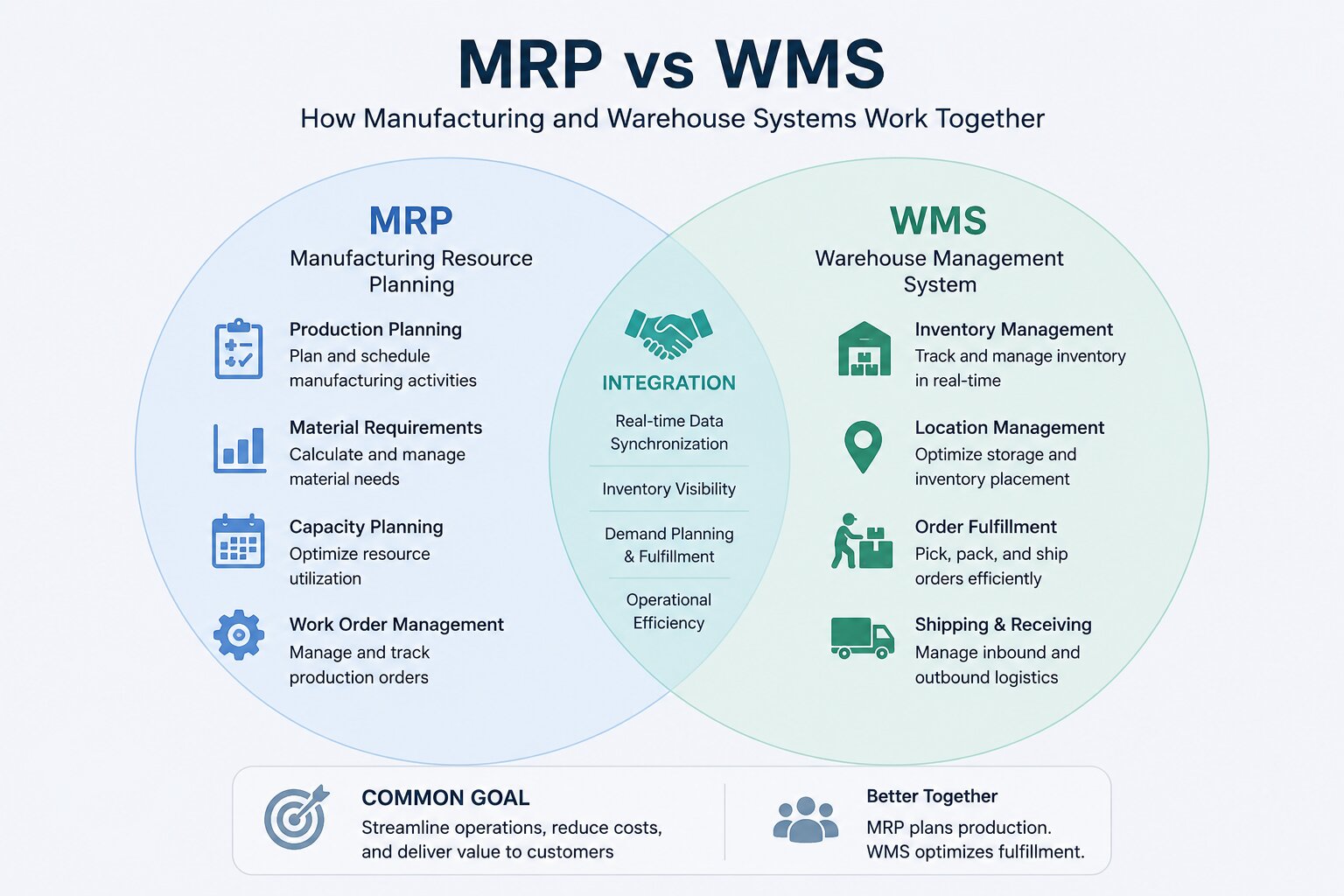
At its core, the operational battle of erp vs mrp vs. warehouse execution comes down to a simple division of labor: what is an mrp? A material planning system is designed to govern when to purchase and how to assemble materials based on a master production schedule. In contrast, what is warehouse management? It is the tactical control system that governs where to store and how to move goods inside the physical facility. An **MRP** manages component demand and assembly structures using a Bill of Materials, whereas a **WMS** manages picking routes, labor, and space optimization. Integrating erp and mrp systems with specialized warehouse controls eliminates data latency, reduces holding costs, and transforms the supply chain into a synchronized competitive weapon.
DLR – Deep Look & Detailed Reading Checklist
For operations directors, Chief Supply Chain Officers, and IT architects who require a comprehensive overview of how these two complex systems coordinate, this detailed reading checklist outlines the core differences and integration touchpoints:
- The Planning Sphere: An mrp planning system manages the master production schedule, calculates net requirements, and issues purchasing/assembly directives, working directly as the supply engine.
- The Execution Sphere: A best warehouse management system handles dynamic bin locations, slotting optimizations, inventory tracking, and complex physical movements from receiving dock to shipping dock.
- The Integration Touchpoint: Connecting your erp/mrp systems to a dedicated ecommerce warehouse management system ensures that raw materials staged for assembly are perfectly tracked in real-time, preventing inventory discrepancies.
- The Tech Horizon: Advanced operations are leveraging **RFID tags**, an **mrp sticker with barcode** scanner setup, and **blockchain technology in warehouse management and supply chain** to secure high-performance traceability and compliance.
1. Introduction: The Nexus of Manufacturing and Logistics
In the highly competitive landscape of modern industrial production, the seamless coordination of material resources, labor, and storage facilities is the absolute difference between global market leadership and financial distress. For generations, corporate operations were structurally bifurcated: the manufacturing shop floor operated in its own silo, focusing strictly on assembly speeds and capacity scheduling, while the distribution warehouse operated in a separate silo, focusing on stack heights and bulk storage. This operational disconnect introduced massive communication gaps, inflated holding costs, generated extensive raw material stockouts, and severely compromised shipping lead times.
To bridge this divide, early technology pioneers engineered the first wave of automated systems. In the mid-to-late 20th century, the introduction of mrp material resource planning allowed managers to systematically calculate what parts they needed to execute a manufacturing batch. However, these early systems lacked the physical granularity to know where those parts were actually located inside a massive storage depot. A planner could generate a theoretically flawless schedule, but if the forklift drivers could not find the raw components on the shelves, the entire assembly line ground to an expensive halt. Thus, the need for dedicated warehouse and inventory management platforms emerged, creating a powerful software ecosystem that physically mapped space, tracked assets, and directed labor.
Today, the modern enterprise cannot afford the luxury of isolated departments. As supply chains face volatile consumer demand, rapid custom orders, and strict regulatory compliance requirements, understanding the exact relationship between mrp erp layers and warehouse logistics is non-negotiable. Whether you are running a highly specialized production line using a custom mrp planning system or deploying a global network utilizing the best warehouse management software, establishing a unified digital framework is the key to maximizing operational efficiency, minimizing waste, and securing continuous growth. This masterclass guide provides a comprehensive, deeply technical comparison of these systems, detailing how they function, where they diverge, and how they must integrate to build a resilient, high-performance operation.
2. Decoding MRP: The Heartbeat of Production Planning
To fully grasp the structural differences, we must start by establishing a precise, concrete define mrp system framework. What does MRP stand for? In industrial circles, it represents **Material Requirements Planning** (often referred to historically as MRP I). The entire operational focus of an MRP system is to calculate exactly what raw materials, sub-assemblies, and components are required to manufacture a finished product, in what quantities, and at what precise moment to ensure the assembly line never starves.
To achieve this, the system relies on a mathematical process known as **BOM explosion**. When a customer places a purchase order, or when the sales team generates a demand forecast, the system consults the Master Production Schedule (MPS) and breaks down the finished product into its component parts using the Bill of Materials. It then cross-references this raw demand with current **mrp stock** levels and open purchase orders to calculate net procurement requirements. This is where the core logic of how to calculate mrp comes into play, utilizing the foundational mrp formula:
The Foundational MRP Formula
The standard material requirement calculation is executed through the following mathematical logic:
Net Requirements = Gross Requirements – Scheduled Receipts – On-Hand Inventory
Where each variable represents a vital operational metric:
- Gross Requirements: The total anticipated demand for a component based on the Master Production Schedule.
- Scheduled Receipts: Material that is already in transit or has an active, confirmed purchase order open with a vendor.
- On-Hand Inventory: The quantity of the component physically available in storage (which must be highly accurate to prevent calculations from failing).
Once the net requirements are determined, the mrp supply chain engine automatically generates two critical outputs: **planned order releases** (directing the purchasing team to order raw materials) and **production work orders** (directing the factory floor to schedule assembly). This precise coordination minimizes raw material stockouts, reduces excess inventory holding costs, and ensures that the factory operates at optimal capacity. For any industrial organization, this system is the primary engine that translates customer orders into raw material arrivals and finished products.
However, an MRP system does not operate in a vacuum. Over time, the industry realized that planning materials alone was insufficient if the factory lacked the physical machines or labor capacity to execute the schedule. This led to the development of **MRP II** (Manufacturing Resource Planning), which expanded the software’s scope to include labor capacity planning, machine scheduling, and financial tracking. Today, these functions are typically housed within broader erp and mrp systems, which unify the entire corporate enterprise. When evaluating mrp vs erp or exploring erp versus mrp, it is crucial to recognize that MRP is the highly specialized production planning engine, while ERP is the comprehensive management platform that connects the back office to the shop floor.
3. Mastering the Warehouse: The Architecture of WMS
If the material planning system is the engine that schedules production, the Warehouse Management System (WMS) is the highly sophisticated traffic control system that physically guides the movement and storage of goods. To establish a complete overview, we must first address the foundational question: what is warehouse management? In the modern enterprise, it represents the physical execution, administrative control, and operational optimization of all processes within the four walls of a warehouse—including receiving, putaway, inventory tracking, slotting, picking, packing, and shipping.
A true WMS is fundamentally focused on **physical execution** and **space optimization**. While an MRP tracks inventory as a simple numerical quantity on a ledger (e.g., “we have 5,000 bolts in stock”), a WMS tracks inventory at the precise bin, shelf, rack, or aisle level. This spatial granularity allows the system to direct warehouse operations in real-time, utilizing advanced algorithms to calculate the most efficient putaway locations and picking paths for labor teams.
When exploring the landscape of logistics, understanding **what is warehouse management** begins with defining the physical **warehouse management process**. This process is structured through a standardized **warehouse management system process flow** that governs the receipt, storage, and retrieval of materials. Modern **warehouse management companies** implement these tools to maximize inventory accuracy and labor productivity. The primary **warehouse management system functions** include putaway calculations, dynamic slotting, and picking path optimization. When selecting a platform, companies evaluate various **types of warehouse management systems**—ranging from standalone applications to deeply embedded **erp warehouse management** modules.
To provide concrete **warehouse management systems examples** and **warehouse management system examples**, enterprise organizations frequently analyze **warehouse management system features** and compare the overall **warehouse management system cost** against the anticipated ROI. The primary **warehouse management system benefits** include reduced picking errors, optimized space utilization, and streamlined compliance tracking. Organizations seeking the **best warehouse management system** or exploring the **top warehouse management systems** will find that high-performance **warehouse operations management** requires integrating specialized **warehouse labor management software** alongside standard **inventory management warehouse** tools. This ensures that every worker’s movements are optimized, providing clear **warehouse management software benefits** across the entire distribution network.
The core functions of a high-performance **WMS** are vast and highly complex:
- Receiving & Putaway: As soon as materials arrive on the loading dock, the system registers the intake, matches it against a purchase order, and calculates the optimal storage location based on item dimensions, weight, turnover frequency, and compatibility with nearby products.
- Inventory Tracking & Barcoding: Every item is assigned a unique identifier, often printed on an mrp sticker with barcode or RFID tag, allowing the system to maintain 100% accurate physical inventory counts via scanning.
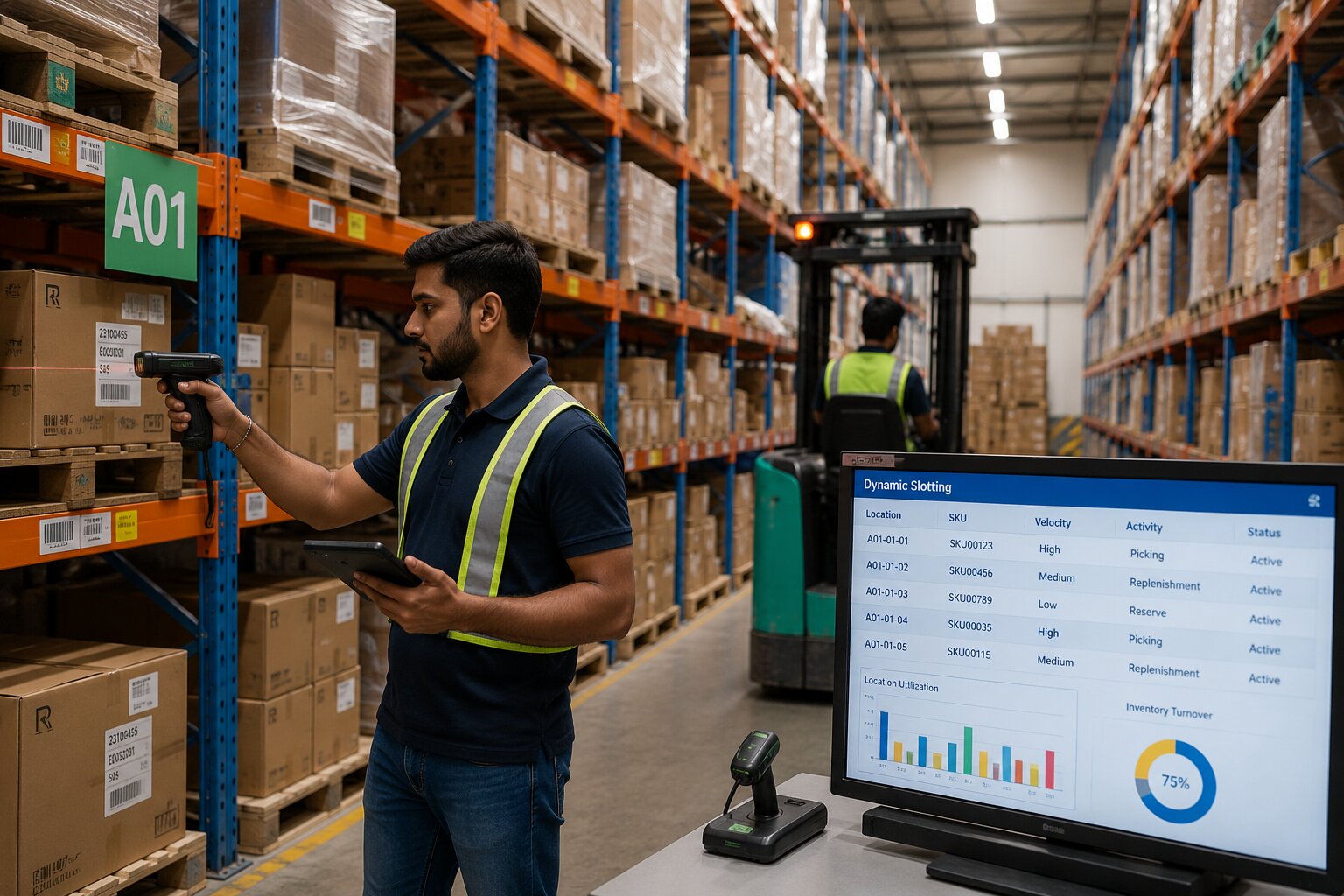
- Slotting Optimization: Dynamically reorganizing the warehouse layout to place fast-moving items closer to the shipping docks, reducing total travel time for picking labor.
- Warehouse Labor Management: The system assigns specific picking, packing, or replenishment tasks to individual warehouse workers based on their physical location, equipment certifications, and current workload.
- Picking & Shipping: WMS software coordinates complex picking strategies (such as wave picking, zone picking, or batch picking) to maximize throughput and ensure 100% order accuracy before dispatch.
For consumer-facing operations, deploying a robust **retail warehouse management system** or a specialized **warehouse management system for ecommerce** is essential to handle fast-moving, high-volume orders. These platforms are tailored for rapid fulfillment, serving as the primary **software for warehouse management system** control within modern digital storefronts. Effective **logistics warehouse management** relies on synchronizing **inventory management for warehouse** racks with active sales channels, ensuring that picking crews can fulfill thousands of individual parcels without error. When companies compare **best warehouse management systems** or search for the **best warehouse management software**, they are ultimately looking for tools that can bridge the physical and digital divide.
For modern commerce, especially within online retail networks, deploying an ecommerce warehouse management system is a critical operational standard. The rise of rapid delivery expectations requires warehouses to pick and ship individual items within minutes, rather than processing bulk pallets over several days. An ecommerce warehouse management platform integrates directly with online storefronts, instantly generating pick lists the moment a customer clicks “buy,” and directing workers to fulfill the order with maximum speed. Whether a business is looking for a **warehouse management system for small business** or deploying an **extended warehouse management** suite for a global logistics network, the WMS is the primary system that translates physical space and labor into rapid, accurate outbound shipments.
4. The Functional Divide: Head-to-Head Comparison
While both systems are designed to manage inventory and streamline the corporate supply chain, their core objectives, database architectures, and primary users are fundamentally different. An MRP planning engine looks at the **future** (forecasting material demands and scheduling assembly cycles), while a WMS focuses on the **present** (monitoring real-time physical space, tracking precise asset locations, and orchestrating immediate labor movements). Confusing the two, or trying to force one system to perform the job of the other, is a recipe for operational failure.
Let’s look at the primary functional differences systematically in this comparative matrix:
| Feature / Dimension | MRP (Material Requirements Planning) | WMS (Warehouse Management System) |
|---|---|---|
| Primary Objective | Optimize the manufacturing process, calculate raw material needs, and schedule production batches. | Optimize physical warehouse space, maximize picking efficiency, and manage daily labor. |
| Database Scope | Logical and structural. Tracks *what* is needed to build a product based on a Bill of Materials. | Physical and spatial. Tracks *where* an item is located down to the exact aisle, shelf, and bin. |
| Primary Users | Production planners, master schedulers, purchasing agents, and plant managers. | Warehouse managers, inventory control clerks, forklift operators, and shipping teams. |
| Inventory Tracking | Tracks bulk quantities, work-in-progress (WIP) status, and future material requirements. | Tracks serial numbers, batch numbers, bin locations, expiration dates, and physical movement. |
| Core Outputs | Planned order releases, purchasing purchase orders, and shop floor assembly work orders. | Pick lists, putaway routes, packing slips, shipping labels, and labor performance metrics. |
| Time Horizon | Forward-looking (weeks, months, quarters) based on sales forecasts and master production schedules. | Real-time and present-focused (minutes, hours, shifts) based on active picking and receiving tasks. |
The Tactical Difference: A Real-World Scenario
To understand how these systems operate differently on the ground, consider the following production scenario:
Imagine a factory that manufactures high-end mountain bikes. The **MRP planning system** analyzes the Bill of Materials and calculates that to build 100 bikes next Tuesday, the factory requires 200 tires. The MRP verifies that there are currently 300 tires listed in the master inventory ledger, so it marks the material as “available” and schedules the production run. This is the extent of the MRP’s visibility.
However, the **Warehouse Management System** knows that those 300 tires are not a single bulk number. The WMS tracks that 150 tires are physically stored in Aisle 2, Row 4 (which is accessible for picking), 100 tires are in high-bay bulk storage on the top rack of Aisle 12 (requiring a specialized forklift to retrieve), and 50 tires are in the quality assurance quarantine zone due to a potential manufacturer defect. When the work order is pushed to execution, the WMS directs a driver to retrieve the tires from Aisle 2 and schedules a replenishment shift to lower the bulk storage stock, ensuring the physical movement of the material is executed seamlessly.
5. The Interface: Where MRP and WMS Intersect
The true magic of supply chain optimization is not found in either system operating independently; rather, it is unlocked when these two platforms are seamlessly integrated. In a siloed operation, the lack of real-time communication between the planning engine and the warehouse floor generates massive data latency. If the warehouse team moves a pallet of raw components to a different aisle without the planning system knowing, the assembly line will starve. Conversely, if the planners release a massive production schedule without verifying warehouse space or picking capacity, the staging docks will become congested, leading to physical gridlock.
An integrated erp warehouse management architecture bridges this gap, establishing a continuous, bidirectional flow of data between the planning and execution layers. There are three critical touchpoints where this integration is absolute:
1. The Bill of Materials (BOM) to Bin Mapping
When the MRP explodes a Bill of Materials for a scheduled assembly batch, it generates a pick request for the required components. In a unified system, this request is instantly pushed to the WMS, which maps the required parts list against the active warehouse grid. The WMS automatically generates an optimized picking route, directing workers to retrieve the components in the exact sequence they are needed on the assembly line, minimizing physical travel time and preventing errors.
2. Production Staging and Work-in-Progress (WIP) Tracking
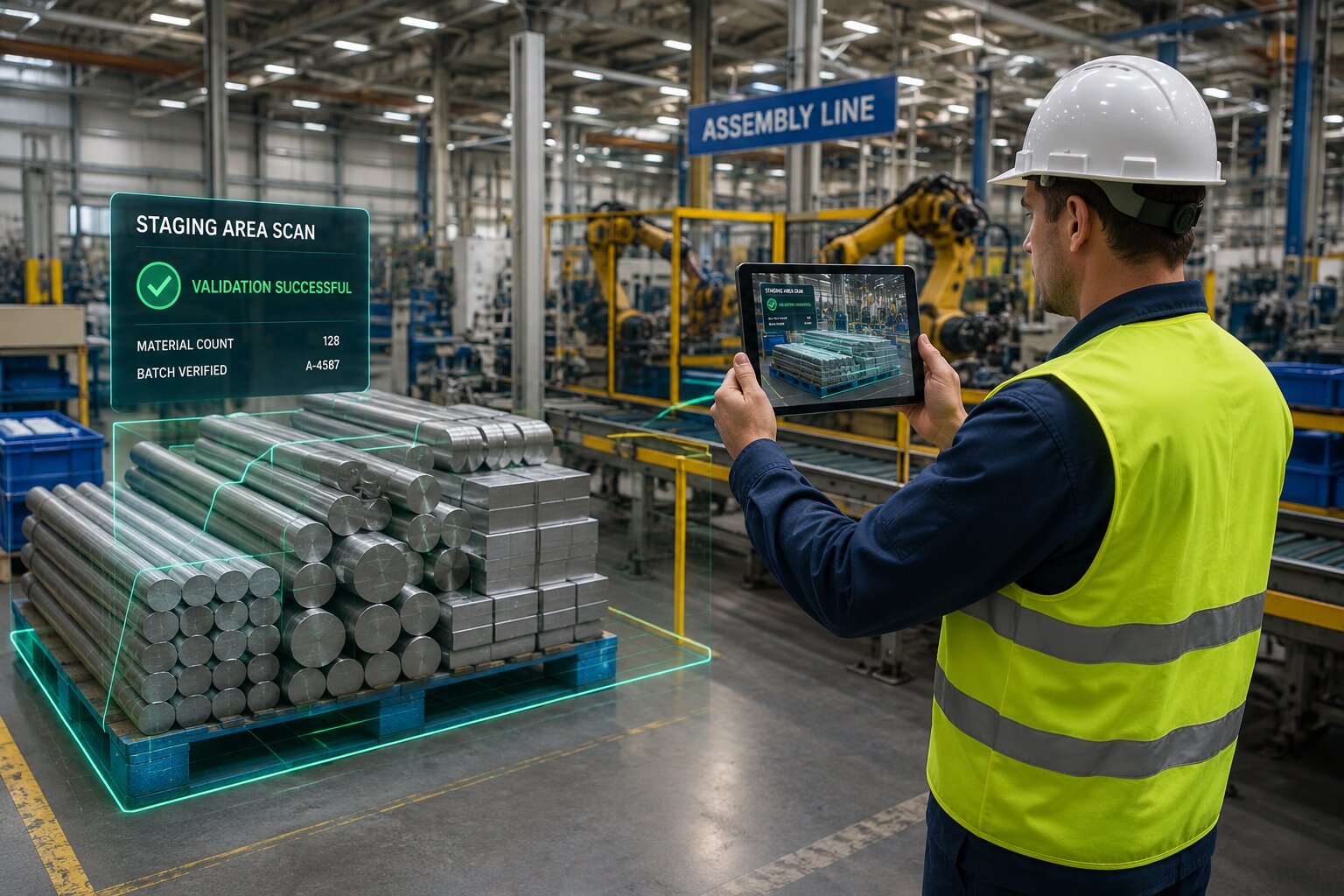
As raw materials are picked from warehouse shelves, they are physically moved to a “staging zone” or “production loading area” next to the shop floor. During this transition, WMS barcode scanners register that the inventory has left the storage grid and entered the shop floor. The MRP instantly registers this movement, updating the material status from “stored raw stock” to “Work-in-Progress” (WIP). This real-time visibility ensures that planners know exactly which materials are currently undergoing transformation, preventing duplicate pick orders and optimizing stock levels.
3. Receiving Finished Goods Back into Inventory
The moment the manufacturing team completes the assembly of a finished product, the item is scanned, and the MRP marks the work order as “complete.” This action triggers an automated intake alert in the WMS. The warehouse system immediately assigns a unique tracking label, prints a barcode, and calculates the optimal putaway location in the finished goods racks. As the item is scanned into its final storage bin, the WMS pushes a confirmation back to the central inventory ledger, instantly making the product available for customer shipments. This continuous loop ensures that inventory counts are 100% accurate from raw material intake to final product delivery.
6. Modern Technology Trends in Warehousing and Production
As the global supply chain transitions into the digital era, both material planning and warehouse execution systems are undergoing rapid, technological revolutions. The integration of advanced hardware, real-time tracking sensors, and decentralized ledger databases is reshaping how businesses manage their assets, orchestrate their labor, and secure their operations from end to end. The future of competitive commerce belongs to organizations that proactively adopt these modern technical trends.
Blockchain Technology in Warehouse Management and Supply Chain
One of the most disruptive developments in logistics is the integration of blockchain technology in warehouse management and supply chain architectures. Traditionally, supply chains suffer from trust and verification challenges. When raw materials move between suppliers, manufacturers, warehouses, and carriers, each entity maintains its own isolated ledger, making dispute resolution difficult and tracking authenticity nearly impossible.
By deploying a decentralized blockchain ledger, every transaction—from the initial purchase of raw materials to the final shipment of a product—is recorded as an immutable block of data. When a warehouse receives a shipment, the WMS logs the receipt onto the blockchain. When the MRP schedules that material for assembly, the transaction is verified. This absolute transparency provides unprecedented levels of traceability, allowing manufacturers to easily verify the provenance of their components, simplify quality control audits, and secure their supply chain against fraud.
RFID and Smart Barcoding (The Digital Stamp)
The historical method of manually scanning physical barcodes with handheld laser guns is rapidly giving way to hands-free, high-speed automated tracking. By applying an mrp sticker with barcode combined with an active or passive RFID (Radio Frequency Identification) inlay, items can be tracked automatically as they move through the facility. Rather than requiring a worker to physically locate and scan a label, RFID portals installed at loading docks and warehouse entrances automatically scan entire pallets of inventory as they pass through, updating the WMS and MRP systems in real-time, eliminating manual scanning labor, and driving inventory accuracy to nearly 100%.
Extended Warehouse Management and AGVs
Modern distribution complexes are increasingly deploying **Extended Warehouse Management** (EWM) architectures, which integrate WMS software with automated hardware. High-tech facilities utilize **Automated Guided Vehicles** (AGVs), autonomous mobile robots (AMRs), and automated storage and retrieval systems (ASRS) to physically transport materials. In these environments, the WMS directs robotic carts to retrieve components from deep-bay storage and deliver them straight to the shop floor staging docks, eliminating the need for human transit labor and maximizing operational throughput.
eCommerce Fulfillment & Dynamic Slotting
The exponential growth of online shopping has made a dedicated ecommerce warehouse management system mandatory for modern brands. Unlike bulk distribution centers, an ecommerce facility processes thousands of individual, low-volume orders every single day. To keep pace with this demand, advanced **ecommerce warehouse management** platforms deploy real-time **dynamic slotting** algorithms. These systems continuously analyze order trends, instructing workers to relocate fast-moving products closer to packing stations as seasonal demands shift, ensuring rapid picking speeds and 100% accurate customer shipments.
7. Selection, Deployment, and Cost Analysis
Selecting the right software architecture is one of the most critical, long-term capital investment decisions a business can make. The decision typically comes down to a fundamental architectural debate: should the organization implement a unified **ERP suite** that contains built-in MRP and WMS modules, or should they deploy a “Best-of-Breed” strategy, purchasing a specialized, standalone **MRP system** and connecting it to a dedicated, standalone **WMS** via custom API interfaces?
While a unified ERP suite offers a single database and eliminates the need for custom system integration, it often lacks the deep, operational functionalities that high-volume manufacturing or complex logistics networks require. A standalone, high-performance WMS offers advanced slotting, labor management, and AGV coordination features that an ERP’s basic warehouse module cannot match. Conversely, deploying a Best-of-Breed strategy requires a significant investment in system integration, as the business must hire software developers to build and maintain the bridges between the planning and execution databases.
Evaluating the Cost: Warehouse Management System Cost Breakdown
When calculating the overall **warehouse management system cost**, business leadership must look far beyond the initial software license fee, analyzing several critical cost centers:
- Software Licensing & Hosting: Modern cloud-based systems (SaaS) typically charge a monthly subscription fee per user or per warehouse location, while on-premise systems require a massive upfront perpetual license.
- System Customization & Integration: Building API bridges to connect the WMS with the central **erp/mrp** ledger and e-commerce storefronts. This is often the largest hidden cost of deployment.
- Hardware Infrastructure: Purchasing industrial RF barcode scanners, RFID portals, tablet mounts, mobile label printers, and warehouse network access points.
- User Training & Change Management: Meticulously training warehouse workers and planners on the new system to prevent disruptions during go-live.
Despite these upfront investments, the return on investment (ROI) is typically substantial, driven by the massive **warehouse management software benefits** that a modern deployment provides. Businesses report up to a 25% increase in physical space utilization, a 30% boost in overall labor productivity, a 99.9% order picking accuracy rate, and a dramatic reduction in carrying costs. By optimizing inventory levels and eliminating manual paperwork, a WMS typically pays for itself within 12 to 18 months of go-live, making it a highly lucrative and strategic upgrade.
A Step-by-Step Implementation Framework
To ensure a successful, risk-free deployment, organizations should follow this structured implementation methodology:
- Define Scope & Form Committee: Establish a cross-functional team including production planners, IT database architects, warehouse directors, and financial stakeholders.
- Evaluate Warehouse Management Softwares: Thoroughly review the top platforms, request detailed software demonstrations, check client references, and verify API connectivity.
- Clean & Format Database: Clean historical inventory records and resolve data errors before migrating to the new system, ensuring complete data integrity.
- Conduct Pilot Run & User Training: Set up a sandbox testing environment, conduct role-specific hands-on training for all staff, and run a limited pilot in a single warehouse zone.
- Execute Phased Go-Live: Deploy the system in controlled phases (e.g., launching receiving first, followed by slotting, and finally picking) to mitigate risks.
- Monitor & Optimize: Continuously gather user feedback, track key performance metrics, and work with vendors to implement continuous software updates.
8. Industry Disambiguations and Search Query Index
Because modern digital commerce relies heavily on search engines to locate tools, software, and services, search trends frequently generate confusing results. The three-letter abbreviation **”MRP”** is a common industry homonym that stands for completely different terms across different commercial, real estate, automotive, and economic sectors. To maintain the scientific, non-branded integrity of this guide, this section provides a highly professional, academic disambiguation of common online search terms, clarifying their meanings and separating them from enterprise manufacturing planning systems.
Linguistic Homonyms and Alternative Meanings of “MRP”
When searching the web for industry insights, professionals frequently encounter these unrelated terms:
- MRP Realty (Real Estate): In the property development and investment sector, the term **”mrp realty”** refers to a prominent real estate investment company and property management group. This entity manages commercial office spaces, luxury residential buildings, and industrial parks, and has zero relationship with manufacturing software.
- MRP Motorsports (Automotive & Racing): In the racing and karting world, **”mrp motorsports”** refers to a specialized manufacturer of racing chassis, track complexes, and performance engine parts. This is a purely mechanical, sports-focused brand, entirely distinct from digital material requirement calculations.
- Lewis Machine and Tool MRP (Firearms & Defense): In the defense manufacturing and civilian firearms sector, the abbreviation refers to the **”lewis machine and tool mrp”** (Monolithic Rail Platform). This is a patented, one-piece upper receiver design for rifles, allowing for rapid barrel changes. This is a physical, machined product, completely unrelated to enterprise software.
- MRP Stock & MRP Stock Price (Finance): In the stock market and investment banking sectors, searches for **”mrp stock”** or **”mrp stock price”** typically refer to the public financial ticker symbols of corporate entities (such as Marine Products Corporation or other international listings). Additionally, in retail sectors within developing nations, “MRP” stands for **”Maximum Retail Price”** (the legally mandated price printed on goods). Searches for `mrp stock` in those regions refer to physical retail inventories that carry these price tags, rather than financial equity.
When analyzing standard corporate configurations, buyers frequently research different erp mrp systems or integrated mrp/erp systems depending on their scale. For instance, search trends often show interest in mrp netsuite integrations or other modular combinations where mrp and erp databases work in unison. Some search queries even contain typographical errors, such as mrp erp stems, which highlight the common linguistic overlap between manufacturing execution and broader enterprise resource planning. For enterprise organizations looking to deploy modern technology, recognizing these linguistic differences prevents purchasing mistakes. When a business owner searches for an integrated solution, they are looking for ERP/MRP systems (Enterprise Resource Planning and Material Requirements Planning). These massive software platforms manage global supply chains, track inventory, schedule production, and coordinate back-office accounting, standing entirely separate from firearm parts, real estate firms, or kart racing engines.
Similarly, when searching for warehouse optimization, professionals seek specialized warehouse and inventory management software or a unified erp warehouse management suite. These software solutions are designed to manage daily physical warehouse operations, track materials, and optimize labor, serving as the essential partner to the production planning engine. Understanding this terminology is the first step in selecting the correct software for your business, ensuring that your IT team is searching for the correct tools to support your operations.
Frequently Asked Questions (FAQ)
-
Q: Can a single ERP handle both manufacturing material planning and warehouse management?
A: Yes. Many enterprise **erp/mrp** suites contain built-in warehouse modules, often referred to as **erp warehouse management** tools. While these integrated systems offer the benefit of a single unified database, they often lack the deep operational features of a dedicated, standalone WMS (such as advanced dynamic slotting, complex wave picking paths, and real-time forklift labor optimization). For highly complex or high-volume facilities, a hybrid approach (specialized WMS integrated with the ERP) is the industry standard.
-
Q: What is the main difference between WMS and basic inventory tracking?
A: Basic inventory tracking (typically found in accounting software or simple ERPs) tracks only **quantities** and general statuses (e.g., “we have 500 widgets”). A true **Warehouse Management System (WMS)** tracks the **physical location and spatial routing** of that inventory (e.g., “we have 200 widgets in Aisle A, Bin 4, and 300 widgets in Aisle B, Bin 12,” and automatically calculates the most efficient walking path for a worker to pick them).
-
Q: How does Blockchain Technology improve warehouse operations?
A: By deploying **blockchain technology in warehouse management and supply chain** architectures, every transaction is recorded on an immutable, decentralized ledger. This provides absolute, tamper-proof traceability of raw materials and finished goods, simplifying quality control audits, verifying product provenance, and facilitating instant, trustless coordination between suppliers, manufacturers, and logistics carriers.
-
Q: How do WMS and MRP systems handle raw materials staged for production?
A: This is the primary integration touchpoint. The WMS handles the physical picking of the raw components from warehouse racks and directs their movement to the assembly staging zone. As the materials enter the staging area, they are scanned, updating the inventory status in the WMS and MRP from “raw stock” to “Work-in-Progress” (WIP), ensuring that planners and warehouse workers have a single, synchronized view of stock locations.
-
Q: Is WMS software only suitable for large enterprises, or can small businesses benefit too?
A: While historically WMS was an expensive, on-premise tool reserved for large corporations, the rise of cloud computing has made **warehouse management system for small business** operations highly accessible. Small e-commerce brands and boutique manufacturers can deploy flexible, subscription-based WMS platforms to automate their picking, manage small warehouse spaces, and coordinate with third-party logistics (3PL) carriers at a highly affordable cost.