How does inventory management software work​

Inventory Management Software

Imagine this: It’s Monday morning at your warehouse in Indore. A massive order just landed from a new client, but your team is running around like headless chickens. Why? Because your “system”—a collection of dusty Excel sheets and WhatsApp groups—says you have 50 units in stock, but the physical shelf is bone dry.

This isn’t just a “small mistake.” It’s a silent killer of your brand’s reputation and your bank balance.

In 2026, relying on manual counts is like trying to run a high-speed metro on wooden tracks. Inventory Management Software is no longer a luxury for big corporations; it is the digital heartbeat of any business that sells physical goods. Whether you are a manufacturer in Pithampur, a wholesaler in Rajwada, or a global SaaS buyer, understanding the “how” behind this technology is your ticket to 10x efficiency.

What Exactly is Inventory Management Software?

At its simplest level, Inventory Management Software is a centralized digital platform that tracks the flow of goods from the moment they are ordered from a supplier to the moment they are delivered to the customer.

But in 2026, it is so much more than a digital ledger. It is an AI-driven ecosystem. It connects your sales channels (Amazon, Shopify, Instagram, or Offline POS) with your back-end operations (Warehousing, Procurement, and Shipping).

When we talk about an Inventory Management System, we are talking about a tool that provides “Perpetual Inventory”—meaning your stock levels are updated every single second, across every location, without a human having to type a single number.

Why Modern Inventory Management is Non-Negotiable

If you think you’re “saving money” by sticking to manual methods, you’re likely ignoring the Invisible Leaks in your business:

1. The Nightmare of “Dead Stock”

Cash flow is the lifeblood of your business. When you over-purchase products that don’t sell, your cash is literally rotting on a shelf. A smart system identifies “slow-moving” items before they become a liability.

2. The Tragedy of “Stockouts”

Nothing kills customer loyalty faster than a “Current Out of Stock” message after they’ve clicked ‘Buy.’ If you can’t fulfill an order, your customer will go to your competitor in two clicks.

3. The “Human Error” Tax

Even the best employee will make a typo. Entering “10” instead of “100” can lead to massive shipping delays or over-ordering raw materials you don’t need.

4. Storage & Holding Costs

Space is expensive. Whether you own your warehouse or rent it, every square inch costs money. Efficient software ensures you only store what you need.

The Core Mechanics: How the System Works Step-by-Step

To truly understand how an Inventory Management System functions, we need to look at the lifecycle of a product within the software. It isn’t just a database; it’s a workflow.

Step 1: The Digital Identity (SKU Creation)

Every item is assigned a Stock Keeping Unit (SKU). In 2026, this includes not just a name and price, but metadata: dimensions, weight, supplier lead time, batch numbers, and even carbon footprint data.

Step 2: Sourcing & Purchase Orders (PO)

The software doesn’t wait for you to realize you’re low on stock. Based on your settings, it identifies that your “Raw Material A” has hit a critical level. It automatically drafts a Purchase Order and sends it to your pre-approved supplier.

Step 3: Receiving & Scanning

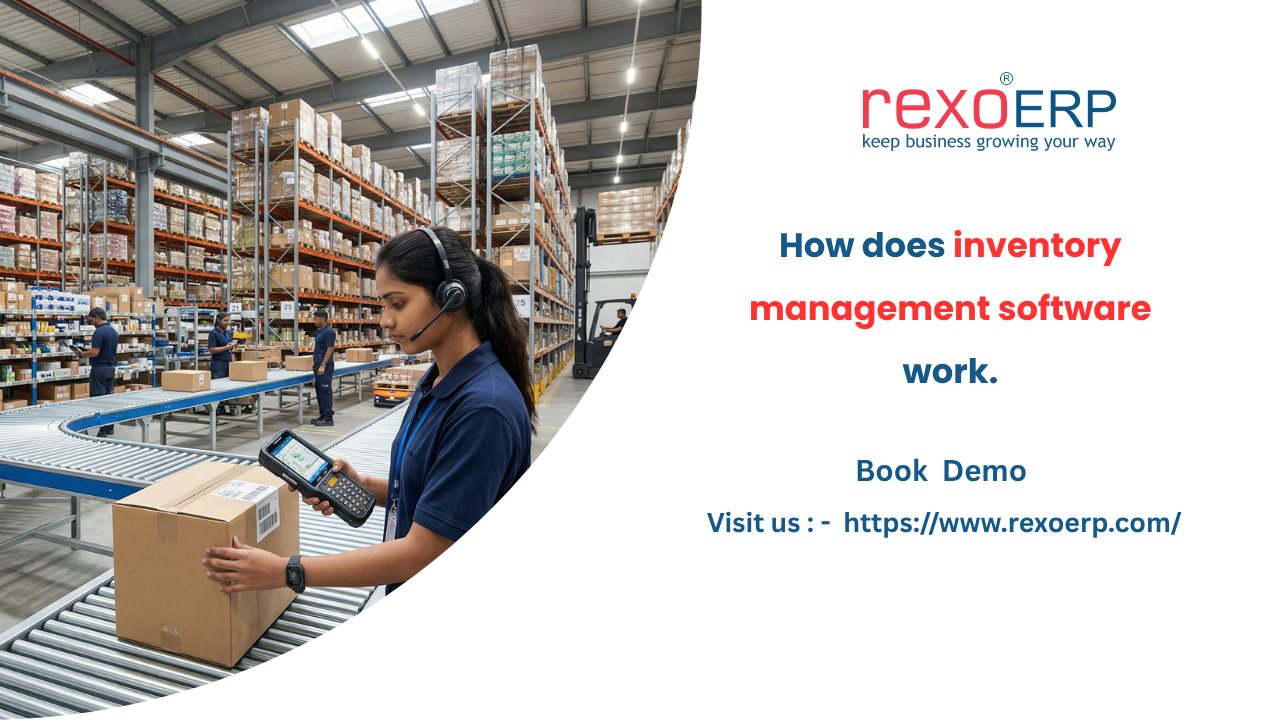
When the truck arrives at your loading dock, your staff doesn’t use a clipboard. They use a smartphone or an RFID scanner. As they scan the incoming boxes, the Inventory Management Software instantly:

  • Updates the quantity on hand.

  • Cross-references the shipment with the original PO to check for shortages.

  • Assigns the items to a specific bin or rack (Bin Tracking).

Step 4: Multi-Channel Synchronization

This is where the magic happens. If you sell a shirt on your website, the system immediately “reserves” that unit. It tells your Amazon listing and your offline store that there is one less unit available. This prevents overselling, which is a primary cause of account suspensions on major marketplaces.

Step 5: Picking, Packing, and Shipping

When an order is “Ready to Ship,” the software generates a Pick List. It tells the warehouse worker the most efficient path to walk through the warehouse to gather all items in the order. Once packed, it generates the shipping label and notifies the customer.

Step 6: Data Analysis & Forecasting

The system gathers data every day. At the end of the month, it gives you a report: “Your sales of Item B increase by 40% every rainy season in Indore. We recommend stocking up 3 weeks in advance.” This is Predictive Analytics.

Types of Inventory Systems: Finding Your Perfect Match

Not all businesses need the same level of complexity. Understanding the types of inventory system available is crucial for your ROI.

1. Periodic Inventory System

This is the “old school” method. You count stock at the end of a week or month. It’s cheap but risky because you only know you’re out of stock after the count.

  • Best for: Very small startups or businesses with very few SKUs.

2. Perpetual Inventory System

This is the gold standard for 2026. Every transaction updates the database in real-time. It provides 100% visibility at any given moment.

  • Best for: E-commerce, Manufacturers, and Retail chains.

3. Barcoding & RFID Systems

These systems focus on the speed of data entry. RFID (Radio Frequency Identification) allows you to “scan” an entire pallet of goods without even opening the box.

  • Best for: High-volume warehouses and logistics companies.

4. Just-in-Time (JIT) Inventory

A strategy where you keep minimal stock and rely on a perfect supply chain to deliver goods exactly when they are needed for production.

  • Best for: Sophisticated manufacturers (like the auto industry in Pithampur).

Essential Features Every 2026 System Must Have

If you are evaluating Inventory Management Software, do not settle for a basic “counter.” Look for these high-value features:

A. Low Stock Alerts & Auto-Reordering

You shouldn’t have to check your stock levels. The software should poke you. You set the “Safety Stock” level, and the system handles the rest.

B. Batch and Expiry Tracking

If you deal in food, cosmetics, or pharmaceuticals, this is a legal requirement. The system must follow FEFO (First Expired, First Out) to ensure you don’t lose money on spoiled goods.

C. Multi-Location Support

Do you have a warehouse in Indore and a shop in Bhopal? You need to see the total stock and the individual location stock simultaneously. The system should also allow “Inter-store transfers.”

D. Returns Management (Reverse Logistics)

In the age of E-commerce, returns are inevitable. Your software must be able to process a return, check the item for damage, and put it back into “sellable stock” or “damaged stock” instantly.

E. Mobile Accessibility

Your warehouse manager shouldn’t be tied to a desktop. A 2026-ready system must have a robust mobile app that works on a basic 5G connection.

Deep Dive: The Benefits of Automation

Why spend the money? Here is the “Value Focus”:

  • Drastic Reduction in Labor Costs: Instead of 5 people doing manual audits, 1 person can manage the entire system using scanners.

  • Improved Cash Flow: By reducing “Overstock,” you free up capital to invest in marketing or new product lines.

  • Customer Trust: When you promise 2-day delivery because the system knows the item is in stock, you build a brand that people trust.

  • Accurate Financial Reporting: Your “Cost of Goods Sold” (COGS) is always accurate, making tax season a breeze.

Real-World Use Case: From Chaos to Clarity in Indore

Let’s look at a manufacturing firm based in the Indore industrial belt.

The Challenge: They manufactured high-end spare parts. They had over 1,500 different components. Because they used manual registers, they often “lost” parts inside their own warehouse. They were over-ordering steel components because they couldn’t find the ones they already had.

The Solution: They implemented a cloud-based Inventory Management System with barcode integration for every bin.

The Transformation:

  1. Search Time: Workers used to spend 20 minutes looking for a part. Now, the app tells them exactly which Row, Rack, and Bin to go to. Time saved: 90%.

  2. Inventory Accuracy: Jumped from 72% to 99.4% in just two months.

  3. Financial Impact: They realized they were holding ₹8 Lakhs worth of unnecessary “safety stock.” They liquidated the excess and used that money to buy a new CNC machine.

How to Choose the Right Solution for Your Business

Don’t be blinded by fancy UI. Follow this checklist:

  1. Integration Capability: Does it sync with Tally? Zoho? Shopify? If it doesn’t talk to your other tools, it’s just another “silo” of data.

  2. Scalability: You might have 100 orders a month now, but what about 10,000? Ensure the software can handle the load.

  3. Ease of Use: If the software is too complex, your staff will stop using it and go back to their notebooks. It must be “Human-Centric.”

  4. Support: Does the provider offer 24/7 support? If your system goes down during a big sale, you need help now, not in 48 hours.

The Future of Inventory: What’s Coming Next?

As we move through 2026, keep an eye on these trends:

  • AI Agents: “Autonomous” agents that negotiate prices with your suppliers based on your inventory needs.

  • Drone Audits: Drones flying through warehouses at night to scan barcodes and update stock levels.

  • Sustainability Tracking: Systems that calculate the carbon cost of moving your inventory from point A to point B.

Why Choose a Modern Strategy?

Transitioning to a professional Inventory Management Software is a “Soft Sales Pitch” for your own future. It’s about moving from a “survival mindset” to a “growth mindset.”

When you have data at your fingertips, you stop worrying about “what is in the box” and start focusing on “how to sell more boxes.” You gain the freedom to scale, the confidence to export, and the clarity to lead your market.

Conclusion: Stop Counting, Start Growing

Inventory is essentially frozen cash. The longer it sits there unmanaged, the more value it loses. By implementing a modern Inventory Management System, you are thawing that cash and putting it back to work for your business.

In a competitive market like India, the winners are the ones who use data to outpace their rivals. Don’t let a “Stockout” be the reason your business fails to reach its potential.

FAQ

Absolutely not. Small businesses often benefit more because they have less room for financial error. Even a small retail shop can save thousands by preventing just one case of "Dead Stock."

Yes! Most modern Inventory Management Systems in 2026 have built-in camera scanning features. You don't need to buy expensive industrial hardware to start.

The best software integrates directly with the GST portal. When you create a shipment, it can automatically fetch the HSN codes and generate a valid E-Way bill, saving you hours of paperwork.

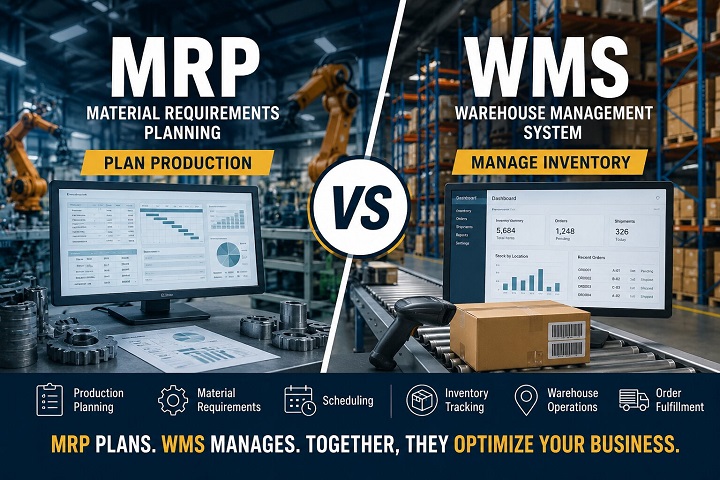
Inventory management focuses on the stock levels and orders. WMS focuses on the physical movement and optimization of the warehouse space itself. Most modern tools now combine both.

Gemini said

SEO Dashboard

  • SEO Title: How Does Inventory Management Software Work? (2026 Ultimate Guide)

  • Meta Description: Stop losing money to stockouts! Learn how Inventory Management Software automates your supply chain, reduces costs by 30%, and scales your business in 2026.

  • URL Slug: /ultimate-guide-how-inventory-management-software-works/

  • Primary Keyword: Inventory Management Software

  • Secondary Keywords: Inventory Management System, Types of inventory system, Stock tracking automation, Warehouse management, Cloud-based inventory India.

How Does Inventory Management Software Work? The 2026 Ultimate Guide for Growing Businesses

Imagine this: It’s Monday morning at your warehouse in Indore. A massive order just landed from a new client, but your team is running around like headless chickens. Why? Because your "system"—a collection of dusty Excel sheets and WhatsApp groups—says you have 50 units in stock, but the physical shelf is bone dry.

This isn't just a "small mistake." It’s a silent killer of your brand’s reputation and your bank balance.

In 2026, relying on manual counts is like trying to run a high-speed metro on wooden tracks. Inventory Management Software is no longer a luxury for big corporations; it is the digital heartbeat of any business that sells physical goods. Whether you are a manufacturer in Pithampur, a wholesaler in Rajwada, or a global SaaS buyer, understanding the "how" behind this technology is your ticket to 10x efficiency.

What Exactly is Inventory Management Software?

At its simplest level, Inventory Management Software is a centralized digital platform that tracks the flow of goods from the moment they are ordered from a supplier to the moment they are delivered to the customer.

But in 2026, it is so much more than a digital ledger. It is an AI-driven ecosystem. It connects your sales channels (Amazon, Shopify, Instagram, or Offline POS) with your back-end operations (Warehousing, Procurement, and Shipping).

When we talk about an Inventory Management System, we are talking about a tool that provides "Perpetual Inventory"—meaning your stock levels are updated every single second, across every location, without a human having to type a single number.

Why Modern Inventory Management is Non-Negotiable

If you think you're "saving money" by sticking to manual methods, you’re likely ignoring the Invisible Leaks in your business:

1. The Nightmare of "Dead Stock"

Cash flow is the lifeblood of your business. When you over-purchase products that don’t sell, your cash is literally rotting on a shelf. A smart system identifies "slow-moving" items before they become a liability.

2. The Tragedy of "Stockouts"

Nothing kills customer loyalty faster than a "Current Out of Stock" message after they've clicked 'Buy.' If you can't fulfill an order, your customer will go to your competitor in two clicks.

3. The "Human Error" Tax

Even the best employee will make a typo. Entering "10" instead of "100" can lead to massive shipping delays or over-ordering raw materials you don't need.

4. Storage & Holding Costs

Space is expensive. Whether you own your warehouse or rent it, every square inch costs money. Efficient software ensures you only store what you need.

The Core Mechanics: How the System Works Step-by-Step

To truly understand how an Inventory Management System functions, we need to look at the lifecycle of a product within the software. It isn't just a database; it’s a workflow.

Step 1: The Digital Identity (SKU Creation)

Every item is assigned a Stock Keeping Unit (SKU). In 2026, this includes not just a name and price, but metadata: dimensions, weight, supplier lead time, batch numbers, and even carbon footprint data.

Step 2: Sourcing & Purchase Orders (PO)

The software doesn't wait for you to realize you’re low on stock. Based on your settings, it identifies that your "Raw Material A" has hit a critical level. It automatically drafts a Purchase Order and sends it to your pre-approved supplier.

Step 3: Receiving & Scanning

When the truck arrives at your loading dock, your staff doesn't use a clipboard. They use a smartphone or an RFID scanner. As they scan the incoming boxes, the Inventory Management Software instantly:

  • Updates the quantity on hand.

  • Cross-references the shipment with the original PO to check for shortages.

  • Assigns the items to a specific bin or rack (Bin Tracking).

Step 4: Multi-Channel Synchronization

This is where the magic happens. If you sell a shirt on your website, the system immediately "reserves" that unit. It tells your Amazon listing and your offline store that there is one less unit available. This prevents overselling, which is a primary cause of account suspensions on major marketplaces.

Step 5: Picking, Packing, and Shipping

When an order is "Ready to Ship," the software generates a Pick List. It tells the warehouse worker the most efficient path to walk through the warehouse to gather all items in the order. Once packed, it generates the shipping label and notifies the customer.

Step 6: Data Analysis & Forecasting

The system gathers data every day. At the end of the month, it gives you a report: "Your sales of Item B increase by 40% every rainy season in Indore. We recommend stocking up 3 weeks in advance." This is Predictive Analytics.

Types of Inventory Systems: Finding Your Perfect Match

Not all businesses need the same level of complexity. Understanding the types of inventory system available is crucial for your ROI.

1. Periodic Inventory System

This is the "old school" method. You count stock at the end of a week or month. It’s cheap but risky because you only know you’re out of stock after the count.

  • Best for: Very small startups or businesses with very few SKUs.

2. Perpetual Inventory System

This is the gold standard for 2026. Every transaction updates the database in real-time. It provides 100% visibility at any given moment.

  • Best for: E-commerce, Manufacturers, and Retail chains.

3. Barcoding & RFID Systems

These systems focus on the speed of data entry. RFID (Radio Frequency Identification) allows you to "scan" an entire pallet of goods without even opening the box.

  • Best for: High-volume warehouses and logistics companies.

4. Just-in-Time (JIT) Inventory

A strategy where you keep minimal stock and rely on a perfect supply chain to deliver goods exactly when they are needed for production.

  • Best for: Sophisticated manufacturers (like the auto industry in Pithampur).

Essential Features Every 2026 System Must Have

If you are evaluating Inventory Management Software, do not settle for a basic "counter." Look for these high-value features:

A. Low Stock Alerts & Auto-Reordering

You shouldn't have to check your stock levels. The software should poke you. You set the "Safety Stock" level, and the system handles the rest.

B. Batch and Expiry Tracking

If you deal in food, cosmetics, or pharmaceuticals, this is a legal requirement. The system must follow FEFO (First Expired, First Out) to ensure you don't lose money on spoiled goods.

C. Multi-Location Support

Do you have a warehouse in Indore and a shop in Bhopal? You need to see the total stock and the individual location stock simultaneously. The system should also allow "Inter-store transfers."

D. Returns Management (Reverse Logistics)

In the age of E-commerce, returns are inevitable. Your software must be able to process a return, check the item for damage, and put it back into "sellable stock" or "damaged stock" instantly.

E. Mobile Accessibility

Your warehouse manager shouldn't be tied to a desktop. A 2026-ready system must have a robust mobile app that works on a basic 5G connection.

Deep Dive: The Benefits of Automation

Why spend the money? Here is the "Value Focus":

  • Drastic Reduction in Labor Costs: Instead of 5 people doing manual audits, 1 person can manage the entire system using scanners.

  • Improved Cash Flow: By reducing "Overstock," you free up capital to invest in marketing or new product lines.

  • Customer Trust: When you promise 2-day delivery because the system knows the item is in stock, you build a brand that people trust.

  • Accurate Financial Reporting: Your "Cost of Goods Sold" (COGS) is always accurate, making tax season a breeze.

Real-World Use Case: From Chaos to Clarity in Indore

Let’s look at a manufacturing firm based in the Indore industrial belt.

The Challenge: They manufactured high-end spare parts. They had over 1,500 different components. Because they used manual registers, they often "lost" parts inside their own warehouse. They were over-ordering steel components because they couldn't find the ones they already had.

The Solution: They implemented a cloud-based Inventory Management System with barcode integration for every bin.

The Transformation:

  1. Search Time: Workers used to spend 20 minutes looking for a part. Now, the app tells them exactly which Row, Rack, and Bin to go to. Time saved: 90%.

  2. Inventory Accuracy: Jumped from 72% to 99.4% in just two months.

  3. Financial Impact: They realized they were holding ₹8 Lakhs worth of unnecessary "safety stock." They liquidated the excess and used that money to buy a new CNC machine.

How to Choose the Right Solution for Your Business

Don't be blinded by fancy UI. Follow this checklist:

  1. Integration Capability: Does it sync with Tally? Zoho? Shopify? If it doesn't talk to your other tools, it's just another "silo" of data.

  2. Scalability: You might have 100 orders a month now, but what about 10,000? Ensure the software can handle the load.

  3. Ease of Use: If the software is too complex, your staff will stop using it and go back to their notebooks. It must be "Human-Centric."

  4. Support: Does the provider offer 24/7 support? If your system goes down during a big sale, you need help now, not in 48 hours.

The Future of Inventory: What’s Coming Next?

As we move through 2026, keep an eye on these trends:

  • AI Agents: "Autonomous" agents that negotiate prices with your suppliers based on your inventory needs.

  • Drone Audits: Drones flying through warehouses at night to scan barcodes and update stock levels.

  • Sustainability Tracking: Systems that calculate the carbon cost of moving your inventory from point A to point B.

Why Choose a Modern Strategy?

Transitioning to a professional Inventory Management Software is a "Soft Sales Pitch" for your own future. It’s about moving from a "survival mindset" to a "growth mindset."

When you have data at your fingertips, you stop worrying about "what is in the box" and start focusing on "how to sell more boxes." You gain the freedom to scale, the confidence to export, and the clarity to lead your market.

Conclusion: Stop Counting, Start Growing

Inventory is essentially frozen cash. The longer it sits there unmanaged, the more value it loses. By implementing a modern Inventory Management System, you are thawing that cash and putting it back to work for your business.

In a competitive market like India, the winners are the ones who use data to outpace their rivals. Don't let a "Stockout" be the reason your business fails to reach its potential.

Your Next Steps:

  • [Book a Free Demo] – See how we can map your specific warehouse layout into a digital twin.

  • [Start Your 14-Day Free Trial] – No credit card required. Upload your SKU list and see the difference in 10 minutes.

  • [Contact Our Strategy Team] – Get a custom consultation on which types of inventory system fit your budget and goals.

FAQs: Everything You Need to Know (Schema-Ready)

1. Is inventory management software only for large warehouses?

Absolutely not. Small businesses often benefit more because they have less room for financial error. Even a small retail shop can save thousands by preventing just one case of "Dead Stock."

2. Can I use my existing smartphone as a scanner?

Yes! Most modern Inventory Management Systems in 2026 have built-in camera scanning features. You don't need to buy expensive industrial hardware to start.

3. How does it help with GST and E-Way bills?

The best software integrates directly with the GST portal. When you create a shipment, it can automatically fetch the HSN codes and generate a valid E-Way bill, saving you hours of paperwork.

4. What is the difference between Inventory and Warehouse Management (WMS)?

Inventory management focuses on the stock levels and orders. WMS focuses on the physical movement and optimization of the warehouse space itself. Most modern tools now combine both.

5. Will my data be safe in the cloud?

2026 cloud standards use bank-grade encryption (AES-256). Your data is actually much safer in a professional cloud environment than on a local laptop that could be stolen or crash.

You may also like...

Leave a Reply

Your email address will not be published. Required fields are marked *